Macbeth RPG1.1
Publisher Description
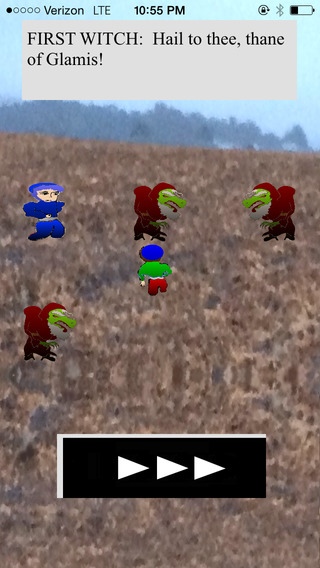
William Shakespeare s Macbeth is Shakespeare s classic psychological study of a man who starts out as virtuous, but gradually succumbs to the influence of power and self-fulfilling prophecies. Now you can enjoy the play in the form of a role-playing game.
-> The entire play is contained in the game, complete and unabridged.
-> A modern English version of the game is included, for those new to Shakespeare.
-> Unique artwork includes rugged highlanders and spooky witches.
-> Like a movie of Macbeth, watched at your own pace.
-> A must-have for any fan of the play.
-> Students: learn the play through having fun!
-> Actors: use the game to memorize your lines while having fun!
The instructions include background on the history of Macbeth, who was based on a real king. An exploration of medieval Scotland!
Requires iOS 8.2 or later. Compatible with iPhone, iPad, and iPod touch.
About Macbeth RPG
The company that develops Macbeth RPG is Paul Cernea. The latest version released by its developer is 1.1.
To install Macbeth RPG on your iOS device, just click the green Continue To App button above to start the installation process. The app is listed on our website since 2015-09-27 and was downloaded 7 times. We have already checked if the download link is safe, however for your own protection we recommend that you scan the downloaded app with your antivirus. Your antivirus may detect the Macbeth RPG as malware if the download link is broken.
How to install Macbeth RPG on your iOS device:
- Click on the Continue To App button on our website. This will redirect you to the App Store.
- Once the Macbeth RPG is shown in the iTunes listing of your iOS device, you can start its download and installation. Tap on the GET button to the right of the app to start downloading it.
- If you are not logged-in the iOS appstore app, you'll be prompted for your your Apple ID and/or password.
- After Macbeth RPG is downloaded, you'll see an INSTALL button to the right. Tap on it to start the actual installation of the iOS app.
- Once installation is finished you can tap on the OPEN button to start it. Its icon will also be added to your device home screen.
